
Before you download — file details & iOS guide
Check the version, size, and compatibility at a glance. iPhone users have a separate option too.
| File Name | ku33.apk |
| Version | ৩.৮.৬ |
| File Size | ৫৮ MB |
| Android Version | ৬.০ or above |
| Last Updated | 26 November 2026 |
| Price | Free |
| Language | Bengali / English |
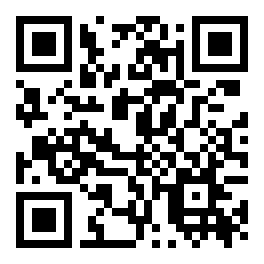
Scan the QR code to download directly
APK files don't work on iOS. But you can add the site via Safari to get an app-like experience:
- ১ Open Safari on your iPhone (Chrome won't work for this).
- ২ Go to ku33.vu and let the site fully load.
- ৩ Tap the Share button at the bottom centre (the box with an arrow).
- ৪ Select "Add to Home Screen" and give it a name.
- ৫ The ku33 icon will appear on your home screen and open just like an app.
Full steps to install ku33 APK on Android
Installing an APK for the first time? Just follow these five steps — the whole thing takes under two minutes.
-
১
Allow installation from unknown sources
To install APKs outside of the Google Play Store, Android needs a one-time permission. You only have to do this once.
Android ৮.০+: Settings → Apps → Special App Access → Install Unknown Apps → Chrome/Firefox → Turn onAndroid 7 or older: Settings → Security → turn on "Unknown Sources". You can turn it off again after installing. -
২
Download the APK file
Tap the button below or go to the download box above from your phone's browser. Once the download finishes, you'll see ku33.apk in your notification bar.
The file is ৫৮ MB. On a decent connection it downloads in 1–2 minutes. Using Wi-Fi saves your mobile data. -
৩
Open the file from your Downloads folder
Tap the download item in your notification bar, or open the Files / My Files app and find ku33.apk in the "Downloads" folder. Tap the file to open the install window.
Files → Downloads → ku33.apk → Tap -
৪
Tap the "Install" button
The system will display a permissions screen listing what access the app is requesting — ku33 only asks for storage, network, and notification access. "Install" or "Install" button. Installation typically takes 20–40 seconds.
ku33 does not ask for phone call, SMS, or camera permissions. If any such permission is requested, the file is not official — cancel the installation immediately. -
৫
Open the app — log in or create a new account
Once installation is done, tap "Open" or find the ku33 icon on your home screen. If you already have an account, log in now; if you're new, complete your registration — the whole process takes under two minutes.
When a new version is available, the app will notify you automatically. Just delete the old APK and install the new one — your account details stay intact.
Installation stuck? Five common problems and quick fixes
Find your issue in the table below, understand the cause, and fix it in one step.
| Issue | Possible Cause | Fix |
|---|---|---|
| "Install blocked" / Installation blocked | Permission to install from unknown sources is not enabled | Go to Settings → Special App Access → select your browser and turn on "Install unknown apps". Then tap the .apk again. |
| "Parse Error" or "There was a problem parsing the package" | The download was interrupted mid-way and the file is incomplete (network dropped) | Go to your Downloads folder and delete the ku33.apk file. Then download it again on Wi-Fi or a stable connection. Confirm the file size is 58 MB. |
| "Insufficient storage" / Not enough space | Less than 58 MB of free space available on the phone | Go to Settings → Storage and delete old photos, videos, or unused apps. Free up at least 100 MB, then try again. |
| "App not installed" / Cannot install this app | Android version is below 6.0, or you are trying to install a newer APK over an older one | First fully uninstall the existing ku33 app, then install the new APK. If you are on Android 5.x or below, use a mobile browser instead. |
| App won't open or crashes right after installation | Old cache or partial install data is causing a conflict | Go to Settings → Apps → ku33 → Storage → tap "Clear Cache". If that doesn't help, uninstall the app and reinstall it. |
What to do if none of the above solutions work?
Contact our 24/7 live chat with your phone model and Android version — the support team will guide you directly. Alternatively, you can open ku33.vu in your mobile browser and play without the APK, with full access to all features.
App or mobile browser — which works better on your phone?
All games, payments, and bonuses on ku33 are available through both options — the APK app and the mobile browser. Which one suits you depends on your device, internet connection, and how often you play. The comparison below makes the difference clear.
| Feature | ku33 APK App | Mobile Browser |
|---|---|---|
| Initial Load Time | Faster — UI is cached locally, only game data is fetched over the network | Page reloads every session, slower on weak connections |
| Mobile Data Usage | Lower — static resources load from local storage | Higher — full page loads every session |
| Push Notifications | Yes — daily missions and bonus offers delivered directly | No — no updates when the browser is closed |
| Offline Login Page | Login screen visible even without internet | Page won't load at all without a connection |
| Installation Required? | Yes — one-time 58 MB download and permission grant needed | No — open the browser and start playing right away |
| iOS Support | No direct APK; can be added to home screen as a PWA via Safari | Fully supported on all browsers for iPhone and iPad |
| Automatic Updates | App sends a notification; new APK needs to be installed manually | Latest version loads automatically on browser refresh after a server update |
| Best For | Android 6.0+ users who play every day | New users, iOS users, or those with limited storage on their phone |
- Your phone runs Android 6.0 or above
- You play more than three days a week
- You don't want to miss bonus and daily mission notifications
- You need fast loading even on a weak connection
- You want to keep your mobile data costs down
- You use an iPhone or iPad
- Your device runs Android below 6.0
- You're trying ku33 for the first time and don't want to install anything
- Your phone has less than 58 MB of free storage
- You need to log in quickly on someone else's phone
For regular Android users, the ku33 APK is the clear choice — faster loading, lower data usage, and push notifications make for a smoother experience overall. On iPhone or older devices, the browser is the way to go; you get everything without installing anything extra. For a full breakdown of both options, see ku33 App vs Website — Full Comparison.
Common questions about downloading and installing the ku33 APK
Is the ku33 APK safe — any risk to my phone?
The APK downloaded from the button on this page or from ku33.vu comes directly from the official server. The file is free from malware and only requests the permissions it needs — storage, network, and notifications. Files from third-party sites cannot be verified, so avoid downloading from anywhere else.
How do I update the ku33 APK when a new version is released?
Once you open the app, an automatic update notification will appear. Tap it and the new APK will download and install over the existing version — your account details and balance stay untouched. To update manually, download the latest APK from this page and install it.
Is there any charge to download and install the APK?
The ku33 APK is completely free — no download fee, no installation charge. You'll only use about 58 MB of mobile data or Wi-Fi. To avoid data charges, download over Wi-Fi.
Can two ku33 accounts run on one phone?
No. ku33 allows only one account per person. You can log out of one account and sign into another on the same phone, but running two accounts at the same time is not allowed and goes against ku33's rules.
How do I log in after installing the APK?
The login screen appears as soon as you open the app. Enter your registered mobile number and password to get in. New users should go to the Register page and create an account first. If you have trouble logging in, check the login guide.
Is it a problem to keep an older version?
You can still log in with an older APK, but new games or features may not show up. For security updates as well, it's better to stay on the latest version. The current version is 3.8.6, updated 26 November 2026.
Download now — takes under a minute to install
Version 3.8.6 · 58 MB · Android 6.0+ · Free. If you don't have an account yet, register first.